
Best ARC Raiders Settings TL;DR
-
Disable Motion Blur, Depth of Field, and V-Sync. Enable NVIDIA Reflex or AMD Anti-Lag for lower input lag.
-
Use Medium or Low graphics. Keep shadows, foliage, reflections, and post-processing on Low.
-
Run native resolution with DLSS or FSR toggled on Balanced.
-
Tune controls for responsiveness. Adjust ADS sensitivity, reduce dead zones, and rebind movement actions.
-
Enable Night Mode audio and turn off music. Adjust UI and crosshairs for better visibility.
Target-farming weapon and attachments Blueprints could take you upwards of hundreds of hours. To save lots of time, you can always buy ARC Raiders blueprints on Playhub. Quick delivery and lots of offers to choose from.
Best ARC Raiders Display Settings for Visibility and FPS
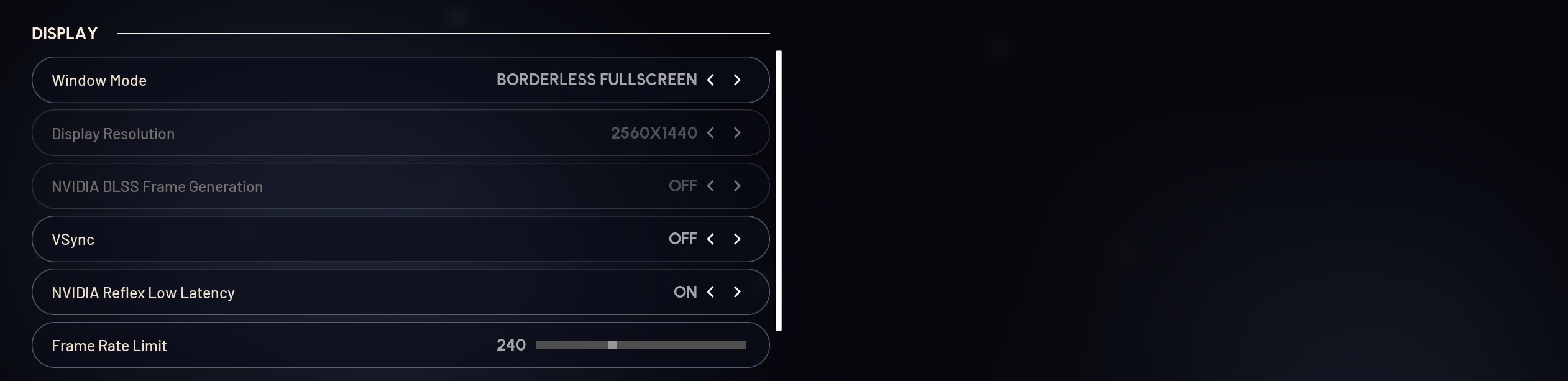
Every player should thoroughly explore the settings menu - I dive into this menu right after booting the game for the first time. Here are the best ARC Raiders display settings:
-
Motion Blur: Off
-
Depth of Field: Off
-
V-Sync: Disabled
-
NVIDIA Reflex / AMD Anti-Lag: Enabled
-
Display Mode: Fullscreen or Borderless Fullscreen
Best ARC Raiders Graphics Settings
Graphics settings are arguably the most impactful ones. Lowering the right settings in this category can dramatically improve FPS and input lag without making the game look too bad - if you are aiming for competitive high-FPS gameplay on PC, you should use these best ARC Raiders graphics settings:
-
Overall Quality: Medium or Low
-
Frame Rate Limit: Unlimited or match your monitor refresh rate
-
Motion Blur: Off
-
Depth of Field: Off
-
Upscaling Method: DLSS or FSR on Balanced mode
-
Shadows: Low
-
Post-Processing: Low
-
Reflections: Low
-
Foliage Quality: Low
-
Textures: Medium to High
-
Global Illumination: Low or Off
High FPS is extremely important since a smooth experience lets you react to sudden player and ARC attacks fast enough. Turning off V-Sync is one of the best ARC Raiders settings for fps, which stops your frames from being held back by the display refresh rate. Having foliage and shadows on Low helps with visibility in dimly lit spaces.
Resolution and Upscaling Settings
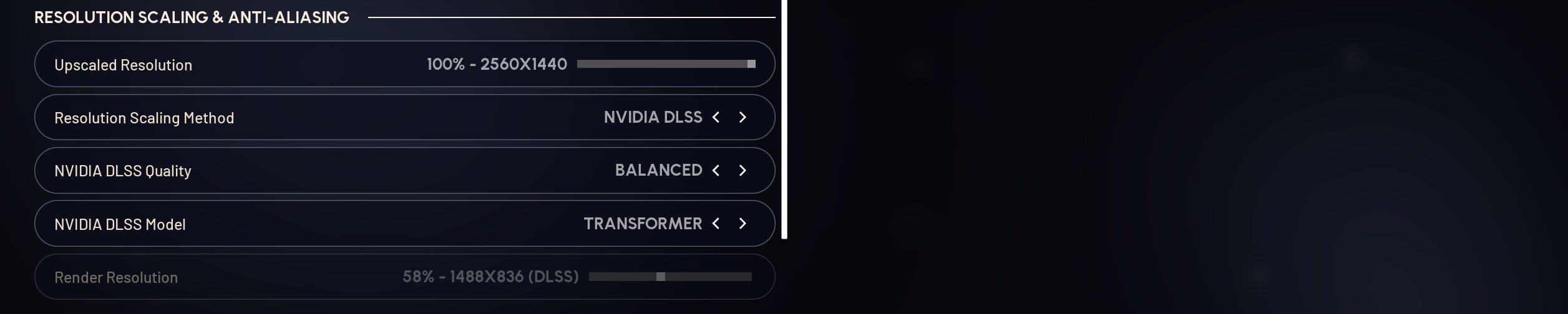
Running the game at your native monitor resolution gives the sharpest visuals, but can severely reduce your FPS. Luckily, there are a lot of upscaling options available right now, especially if you are running newer GPUs. A smart configuration is:
-
Keep your resolution at native.
-
Use DLSS Balanced or FSR Balanced to increase performance with little to no quality loss.
Upscaling should always be used to increase fps in ARC Raiders, even though it can introduce some visual bugs and glitches. Competitive frame rates are more important than some negligible potential visual bugs and noise.
Best ARC Raiders Controls Settings
Tweaking control settings in ARC Raiders is all about achieving optimal comfort and responsiveness. On any input device type, applying these changes will make a noticeable difference.
Mouse and Keyboard
PC players always strive to get steady mouse tracking and comfortable access to key action buttons such as dodge roll and comms. Consider these settings:
-
Set your sens to your preferred value, usually 600-800 is best. I’m a big 600 proponent, but it all comes down to your setup
-
Zoom and scoped sensitivity multipliers are slightly reduced to improve precision.
Keybinds matter too - Pro players remap actions like slide to dedicated buttons on their mouse or keyboard so they don’t lose movement control in combat. Putting dodge roll on a mouse side button keeps you ready for movement and shooting at all times.
Controller Settings
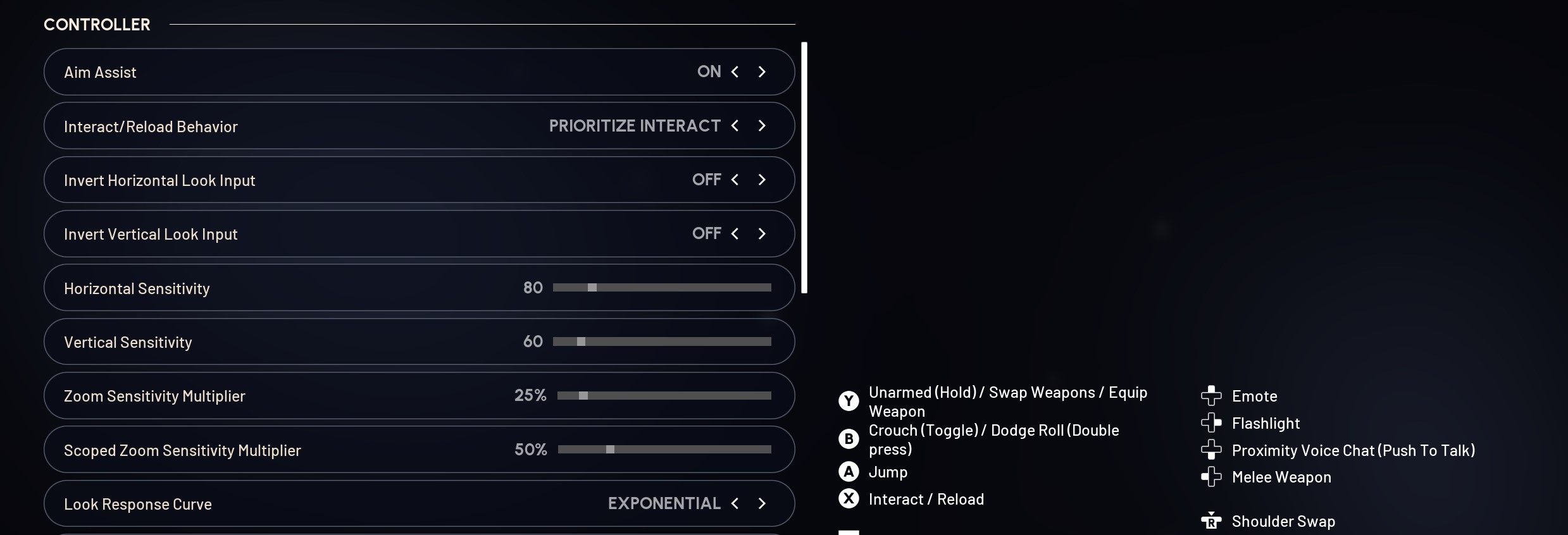
If you play on a controller, the best settings to play ARC Raiders are the ones that target responsiveness and a comfy feel:
-
Adjust the look sensitivity for a fast enough turn speed.
-
Keep aim assist on.
-
Lower dead zones for a more responsive feel.
-
Adjust aim down sights (ADS) to be a little slower for accurate aiming.
These tweaks help controller inputs feel tighter and more competitive against players using a mouse and keyboard. Fine-tuning your sensitivity and dead zones lets you track enemies precisely without oversteering.
ARC Raiders Audio Settings That Keep You Aware
Well-tuned audio settings in ARC Raiders can be just as important as visuals. Hearing enemy footsteps, distant gunfire, and other cues before they hear you lets you take action earlier. The recommended settings are:
-
Enabling Night Mode that compresses the audio and makes footsteps and other subtle player cues louder and clearer.
-
Keeping the music volume low or off for better audibility of gameplay cues.
-
Setting voice chat volumes right so you can hear team calls without overwhelming combat sound effects.
Audio cues give you information before you even remotely see enemies. A clear audio setup is crucial for making the most of the sounds around you.
ARC Raiders Accessibility Settings
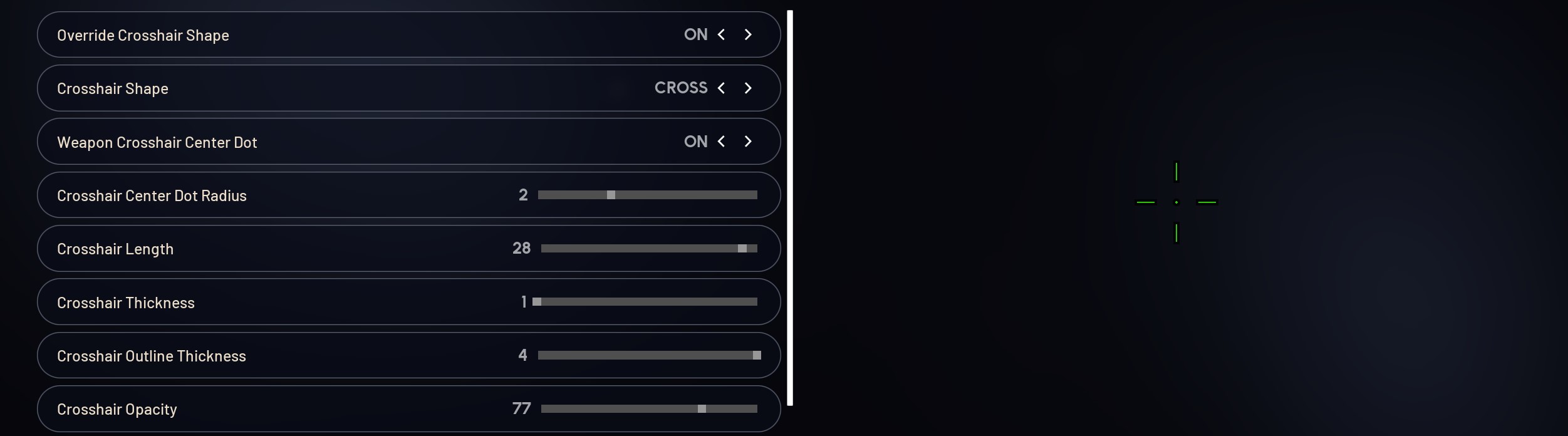
The accessibility tab has options that can immensely improve your comfort with a couple of simple tweaks:
-
Customizable crosshairs for better visibility, default ones are unusable on some of the guns
-
Set UI scaling right, so your HUD doesn’t feel too big or too small.
-
Use colorblind modes if contrast helps you read the environment better.
These don’t affect performance, but they are important for better visibility, and the one who sees an enemy first usually wins. Another major deciding factor is the weapon you use, check our weapons tier list to know which ones are best.
Platform-Specific ARC Raiders Settings - Consoles and PC
PC players get the most customization. You can tweak these PC-specific ARC Raiders settings:
-
Use driver features and settings presets like NVIDIA Reflex and DLSS.
-
Tweak Windows power settings for performance.
-
Update GPU drivers to get the game-specific optimized software.
Turning off unnecessary background apps and overlays on your PC can also help you maintain a stable frame rate.
On PlayStation and Xbox, your graphics options are traditionally way more limited, but controller and FOV settings still are very important for optimal performance:
-
Set the highest FOV you find comfortable. The one most players recommend using is 105, and I’d say anything above 95 works.
-
Always run the game in Performance Mode unless you are ready to swap FPS for better graphics.
-
Adjust controller sensitivity and dead zones until turning and aiming feels just right.
I prefer Performance mode to Fidelity since the graphics difference is negligible, but FPS is much higher compared to the latter option.
Finding Your Personal Best ARC Raiders Settings
It’s fine to start with the recommended settings and then fine-tune in search of the best ARC Raiders settings. Pay attention to:
-
Whether your cursor speed feels too slow or too fast.
-
If you can always spot enemies in cluttered and/or dark environments.
-
Your ability to hear the player's steps and other raider-made noises in every situation.
Making iterative changes as you test them out is the best way to tailor settings to your preference.